Mermaid.live Algorithm Guide
🧠 Mermaid.live – Building an Algorithm flow chart
Mermaid turns diagram code into a flowchart. You write the structure. Mermaid builds the shapes.
🎯 What this example models
This example shows how a while loop works:
- Start
- Ask for a number
- Check if number is < 5
- If yes → add 1 and repeat
- If no → end
The arrow that goes back to the decision creates repetition.
🔷 Shape Guide
([ ]) → Start / End
[ ] → Process
{ } → Decision
[/ /] → Input / Output
🖼 Example Flow chart
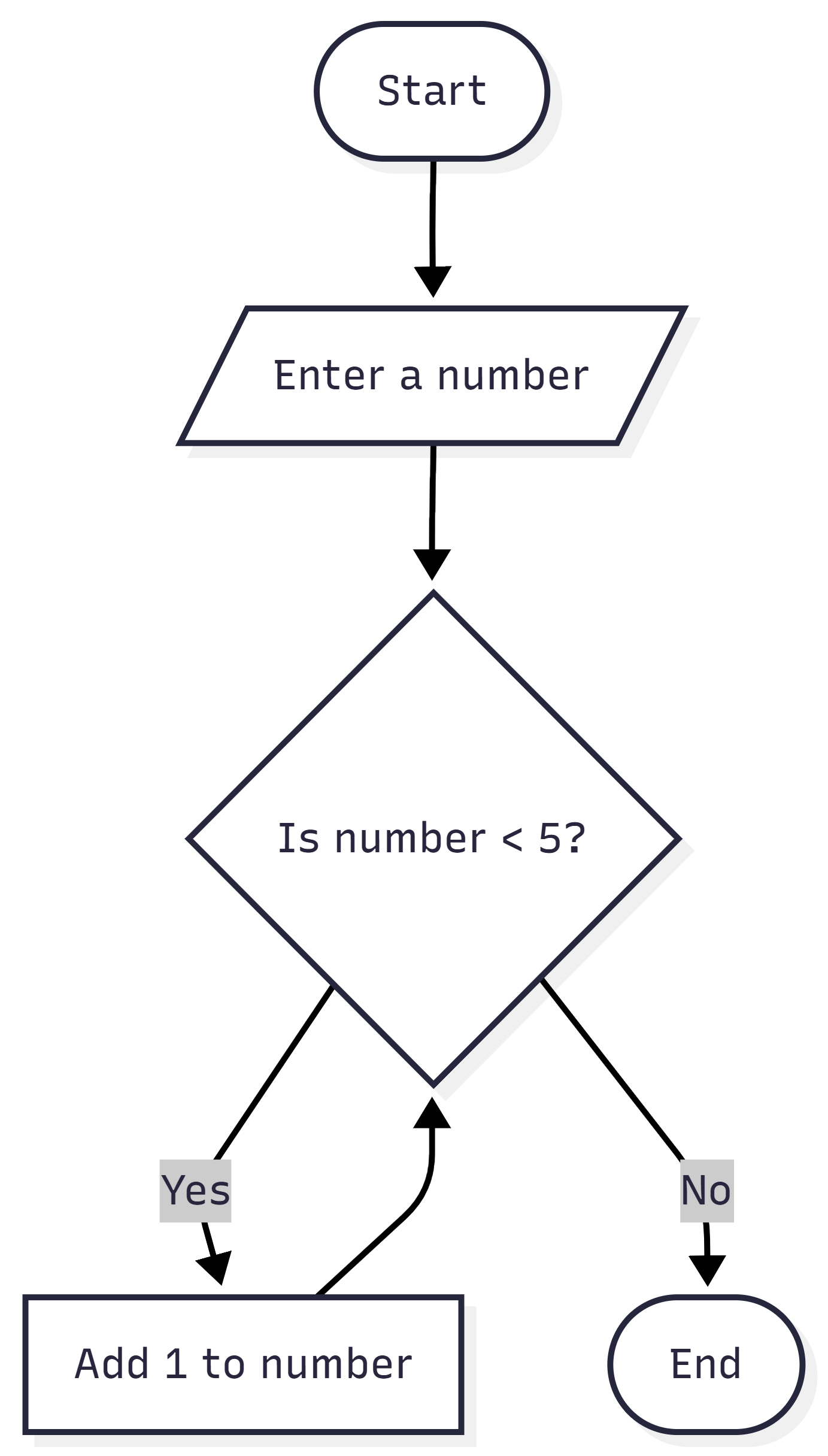
Notice how the decision has two labelled paths and one returns back to repeat.
⌨ Step 2: Paste This Code
Show/Hide Mermaid Code
Checkpoint: Your diagram should show a loop returning to the decision box.
🛠 Assessment Practice Challenge – Booking Validation
Now design your own algorithm flow chart.
Create a flowchart for a booking system that:
• Asks for the user’s name
• Asks what type of pet they have (cat or dog)
• Repeats the question if the input is invalid
• Assigns a price based on the pet type
• Displays a confirmation message
• Ends
• Asks for the user’s name
• Asks what type of pet they have (cat or dog)
• Repeats the question if the input is invalid
• Assigns a price based on the pet type
• Displays a confirmation message
• Ends
Think carefully:
Where is the loop?
What controls it?
Where is the price set?
Are all decision paths labelled?
Where is the loop?
What controls it?
Where is the price set?
Are all decision paths labelled?