
PixInsight Deep-Sky Processing Checklist
A persistent, printable field checklist for taking broadband OSC data from raw-frame screening through integration, colour calibration, restoration and final export.
I started putting this together while reprocessing some of my older astrophotography data and realised how much of my workflow was living in my head.
I knew the broad order of things, but not always the little decisions. Which subs did I usually reject? What did I look for in a rejection map? Which BlurX or NoiseX settings had worked well before? What exactly was I checking after SPCC? I kept finding myself stopping to work those things out again.
So I wrote the whole process down as I actually use it. It starts with sorting and checking the raw frames, then runs through calibration, WBPP, integration, gradients, colour calibration, sharpening, noise reduction, star separation, stretching, recombination and final export. I’ve included the settings I tend to start with, but more importantly what those settings are doing and what I’m looking for before I move on.
It is really just my own working checklist, built so I can come back to a dataset months or years later and process it in a way that is consistent with how I work now.
The images behind the workflow
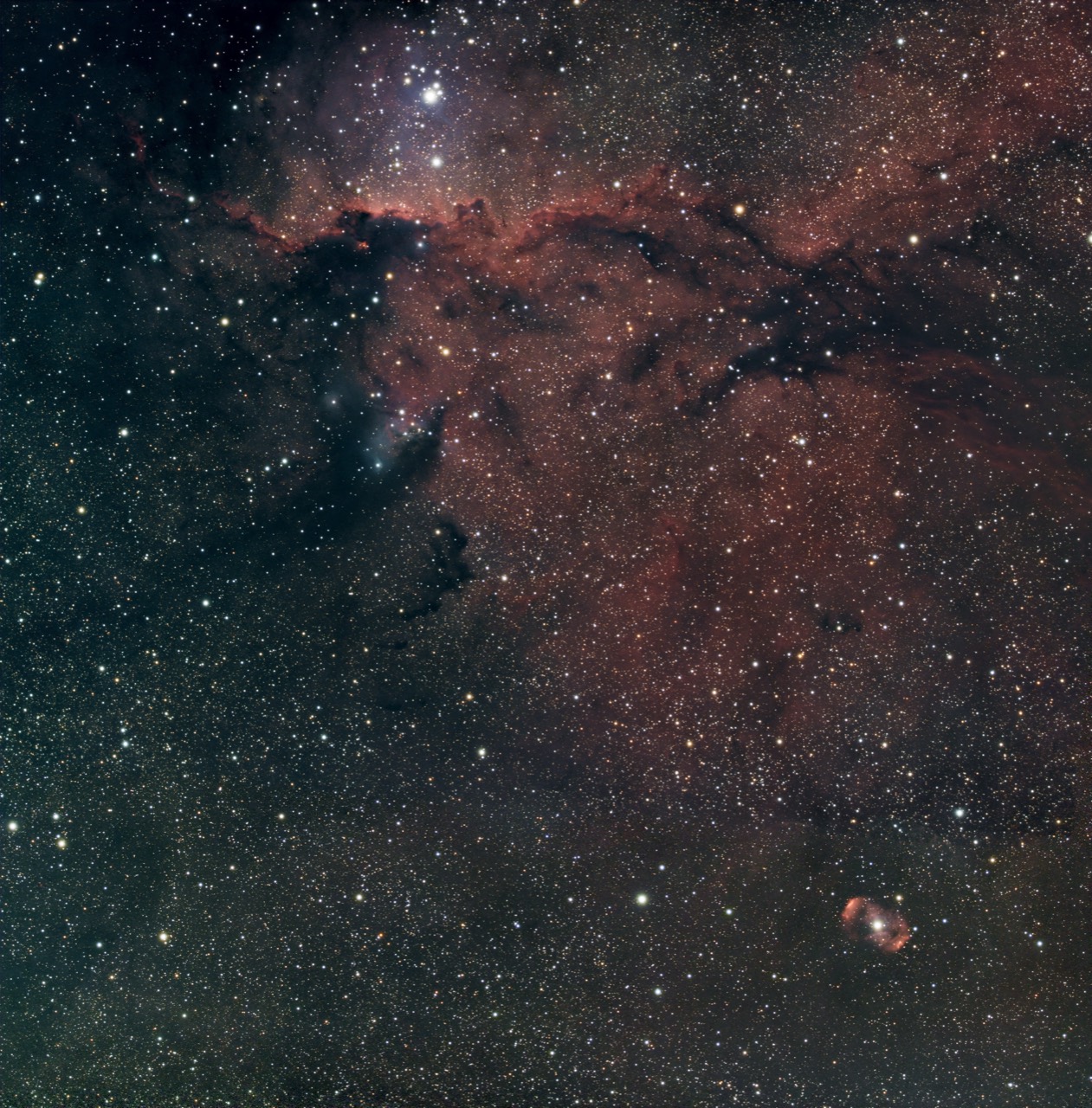
These are two of the older datasets I returned to while putting the checklist together. Reprocessing them made the value of a written workflow fairly obvious: both fields contain faint extended structure, dense star fields, strong colour relationships and bright features that make it easy to see when a processing decision has helped—or when it has gone too far.
- NGC 6193Young open cluster
- NGC 6188Rim Nebula · Fighting Dragons of Ara
- NGC 6164/6165Dragon’s Egg · around HD 148937
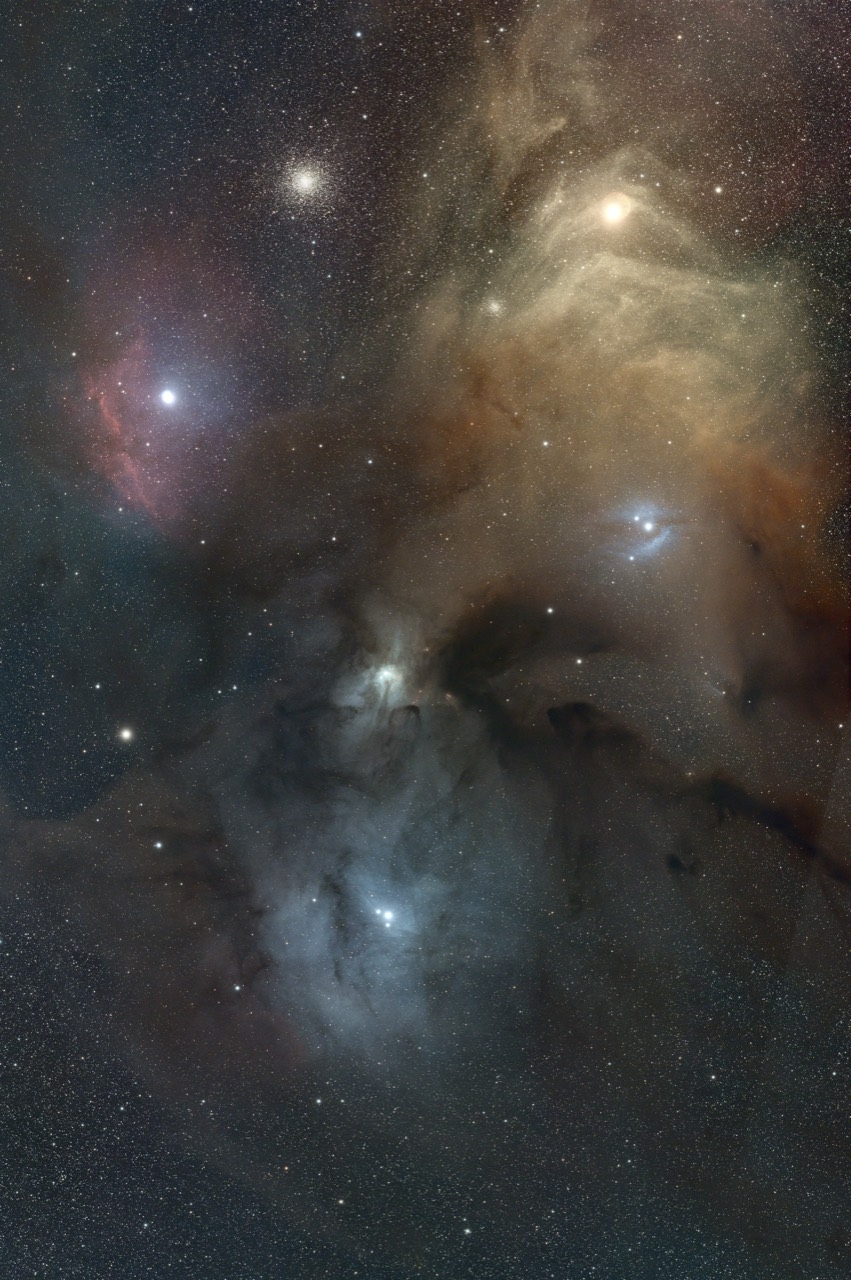
- Messier 4Globular cluster · NGC 6121
- Antaresα Scorpii · yellow IC 4606 glow
- Sh2-9Emission around Sigma Scorpii
- IC 4605Reflection nebula near 22 Scorpii
- IC 4603Reflection nebula and dark dust
- IC 4604Rho Ophiuchi reflection nebula
Field identifications checked against reference imagery from NASA for Rho Ophiuchi, ESO for NGC 6188 and NGC 6193 and NASA for NGC 6188 and NGC 6164.
How the checklist is organised
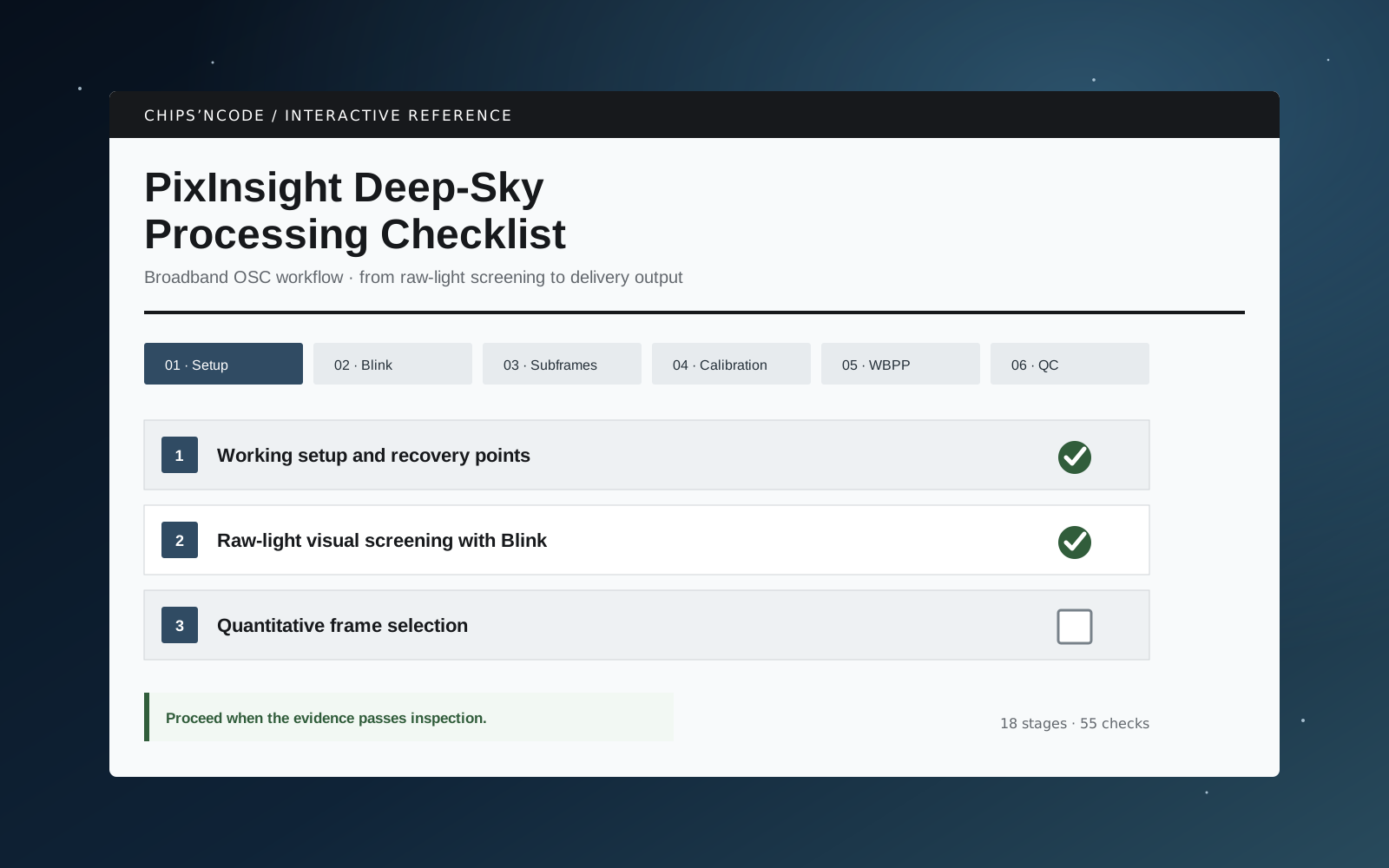
The eighteen stages form six broad phases:
- Screen and prepare: establish a safe working copy, inspect raw lights in Blink, measure the survivors in SubframeSelector, and verify the calibration material.
- Integrate and inspect: configure WBPP, run calibration and registration, then examine the registered sequence, master and rejection maps rather than treating a green completion report as proof of quality.
- Correct and calibrate: remove broad gradients, confirm or solve the astrometry, and run SPCC with an effective response appropriate to the camera and filter combination.
- Restore the linear image: apply BlurXTerminator before NoiseXTerminator, inspect both at full resolution, and separate stars only after the restored linear image has been accepted.
- Move nonlinear: crop both branches identically, stretch stars and starless data deliberately, recombine them with a screen blend, and use local-detail tools only where a visible problem justifies them.
- Finish and deliver: make restrained global curve adjustments, retain the 32-bit floating-point XISF master, then create separately profiled and resized delivery copies.
The compact navigator at the top jumps directly to any stage. Sections can be expanded or collapsed together, which makes the same page usable as either a sequential walkthrough or a quick reference during a familiar run.
Decisions, not magic numbers
Numerical values appear where a useful starting point makes a control easier to understand, but they are deliberately labelled as references or examples. The checklist favours relative and visual tests over universal thresholds.
That distinction matters particularly in SubframeSelector. FWHM is meaningful in the context of the dataset and sampling, eccentricity is a review trigger rather than an automatic verdict, and a low star count becomes more persuasive when signal measures and the image itself tell the same story. The aim is to remove genuinely damaging frames without throwing away useful integration because one number crossed an arbitrary line.
The same approach carries into post-processing. A GradientCorrection model should show a broad illumination pattern rather than recognisable astronomy. Restoration should improve real structure without hard rings or brittle texture. Denoising should reduce random noise without turning faint signal into wax. Every major stage therefore ends with a visible acceptance or rejection condition.
Why it is a browser tool
The checklist is intentionally self-contained. It does not require an account, server or database, and it does not send processing information anywhere. Completed items are stored in the browser with localStorage, so a session can be closed and resumed without making the checklist responsible for any image files.
There are controls to expand all stages, collapse them, clear the current run, and print or save the complete checklist as a PDF. The print layout opens the stage content automatically and removes the interactive controls, turning the same source into a practical bench-side reference.
The saved state is versioned. If the checklist structure changes substantially later, a new storage key can be introduced without silently attaching old answers to different questions.
What it deliberately leaves open
This version is scoped to broadband OSC data in PixInsight 1.9.4. It names the tools and workflow branches I wanted available in that environment, including third-party restoration, denoising and star-removal processes, but it does not claim that every target requires every optional pass.
It also does not attempt to replace the current documentation for PixInsight or any third-party process. Interfaces, models and recommended practices can change. The checklist records a reproducible working method; current tool documentation remains the authority for changed controls and compatibility.
Possible extensions include separate narrowband and mono/LRGB editions, exportable run notes, dataset-specific profiles, and a way to record the reason a frame or processing branch was rejected. Those would only be useful if they preserve the current tool’s main virtue: keeping the judgement visible without turning the checklist into another complicated processing environment.