
The Living Codex
A local-first tabletop character companion built for playing a character, not just entering one into a database.


I built The Living Codex because I was getting tired of character tools that wanted an account, a subscription or custody of the character sheet before they would let me play. I wanted something I could run locally, understand, change and move between machines without asking permission from anything.
I also wanted it to remain useful once the game had actually started.

A lot of digital character sheets are very good at character creation and rather less useful once everybody is sitting around the table. They give you somewhere to enter ability scores, inventory and spells, then expect you to use much the same interface while somebody is waiting for you to decide what you are doing on your turn.
The Living Codex separates those jobs. Edit Mode is where I build and maintain the character. Play Mode is where I actually use it.
Everything runs locally in the browser. There is no backend and no cloud dependency, and character data stays on the machine unless I deliberately export it. If I want to move a character, back it up or inspect the data myself, I can export the whole thing as a ZIP rather than depending on an online service continuing to exist in roughly the same form later.
Edit Mode and Play Mode
The split between editing and playing became more important as the project grew.
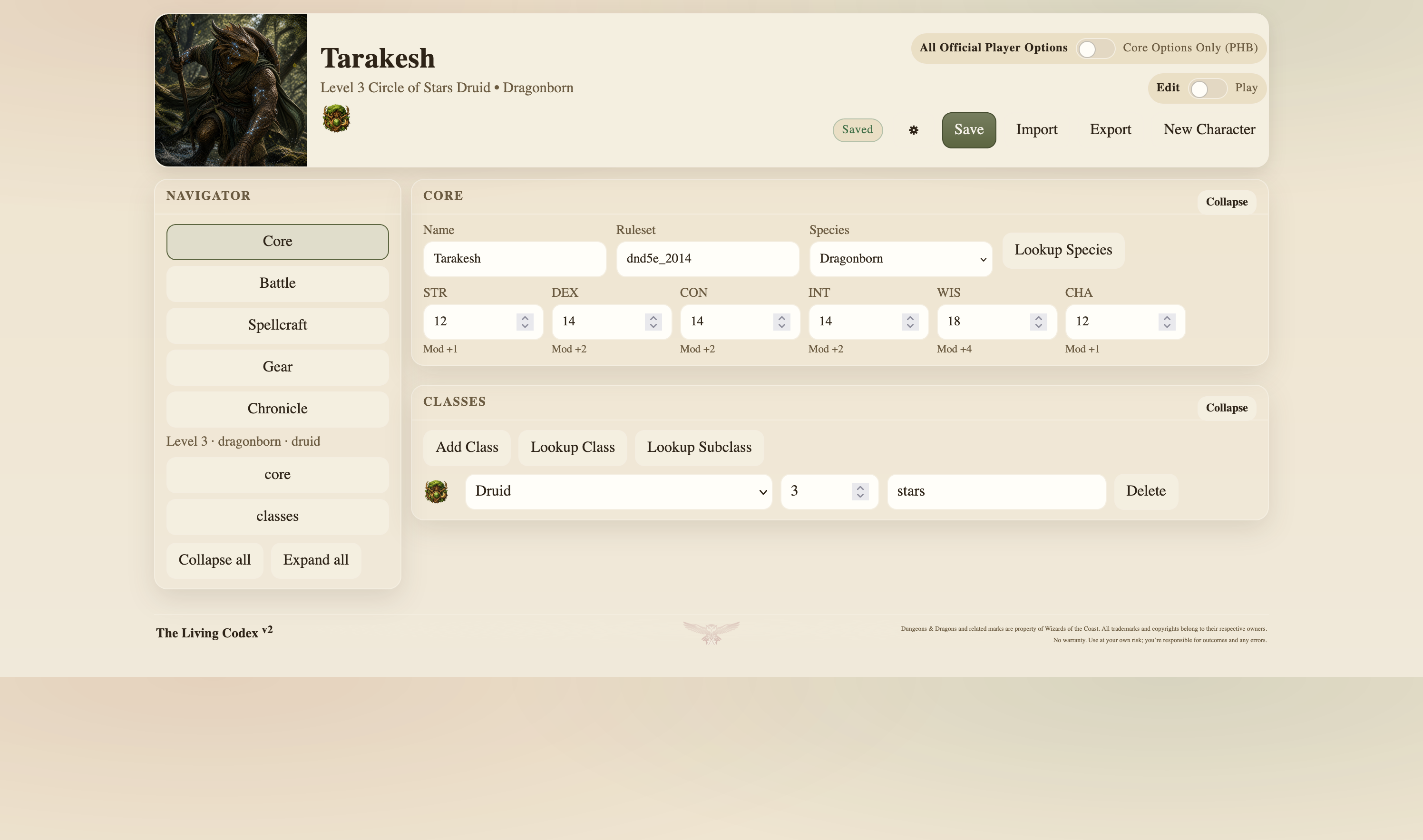
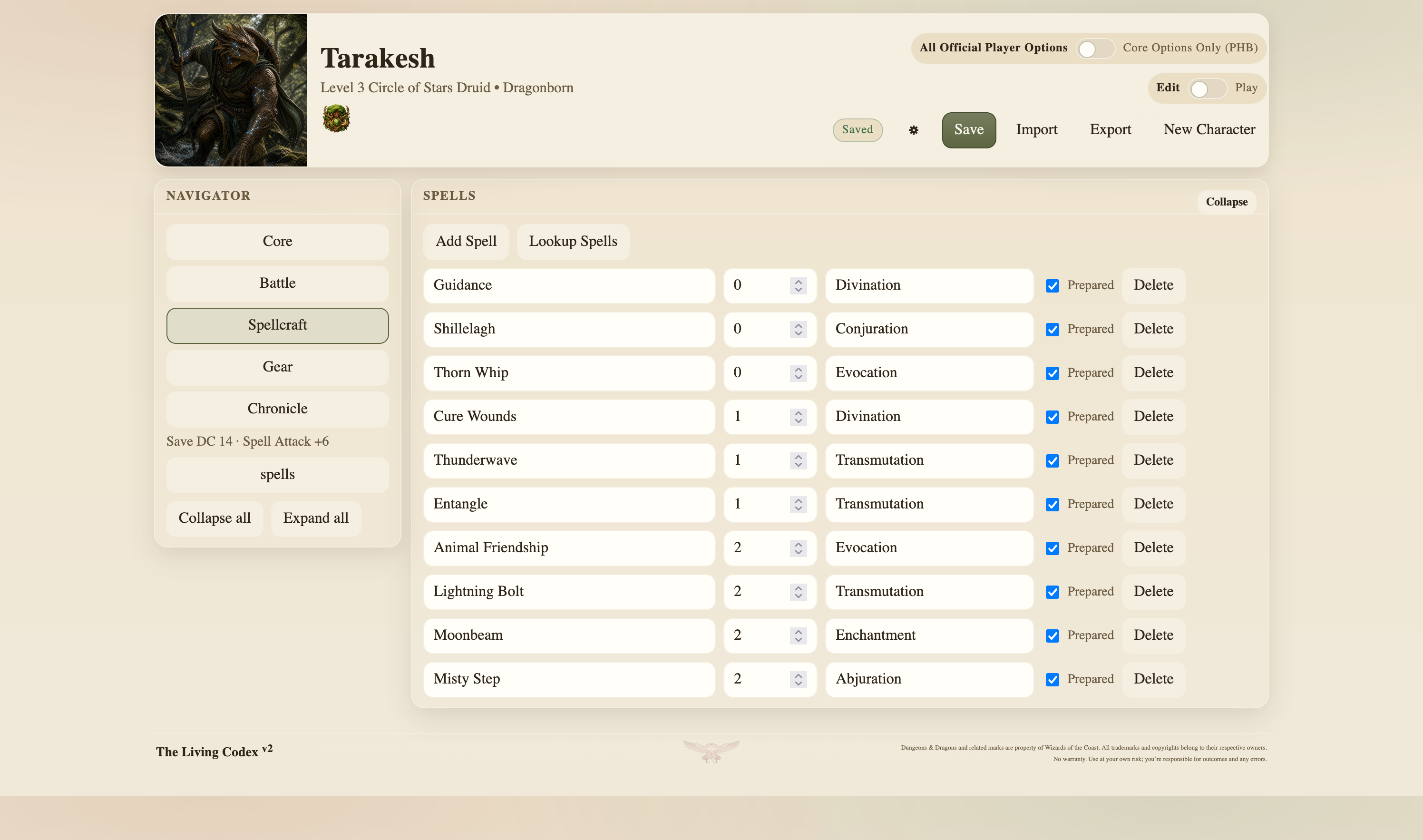
Edit Mode handles the things I might spend time setting up properly: identity, species, classes and subclasses, ability scores, proficiencies, saving throws, attacks, inventory, spellcasting, currency and character background.
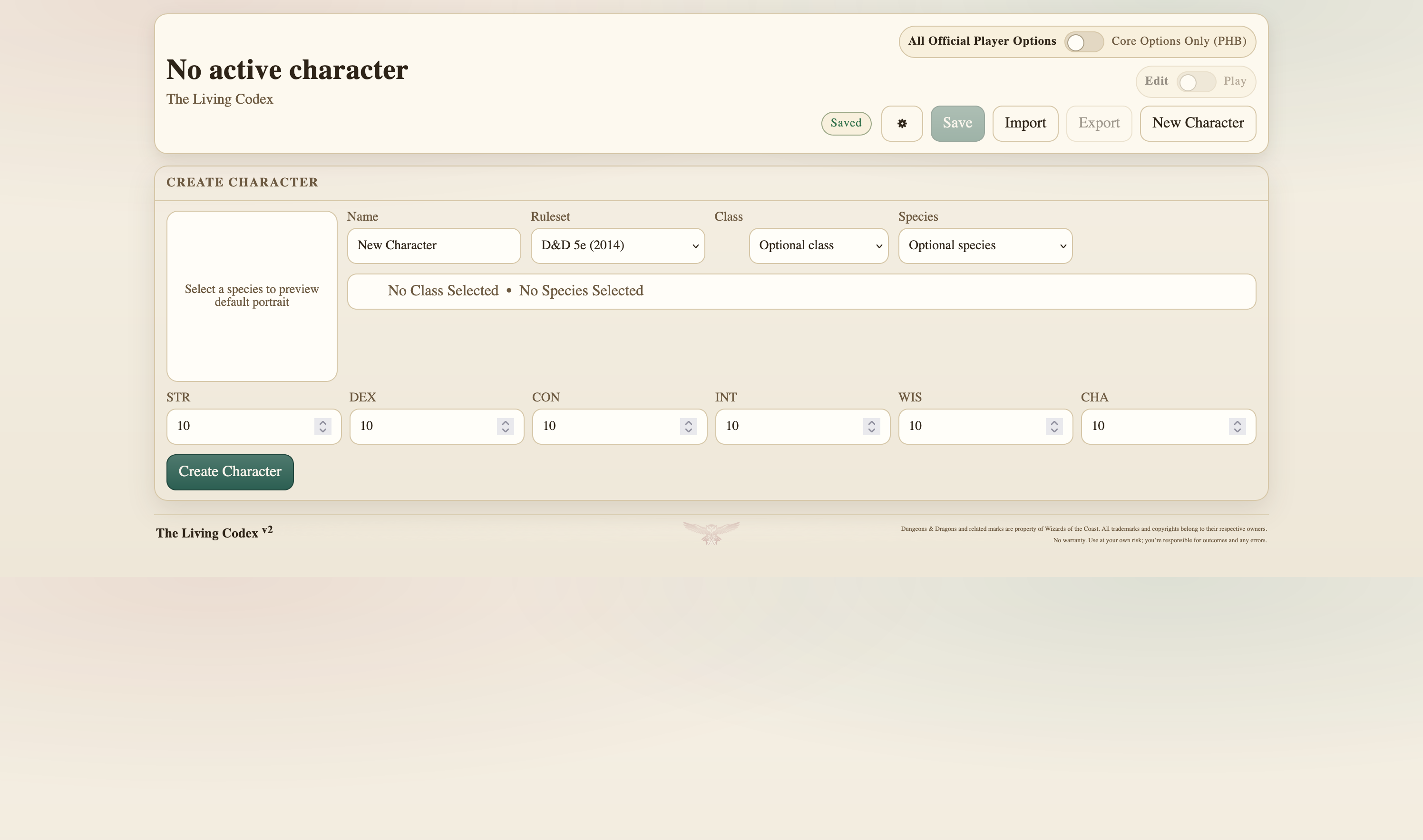
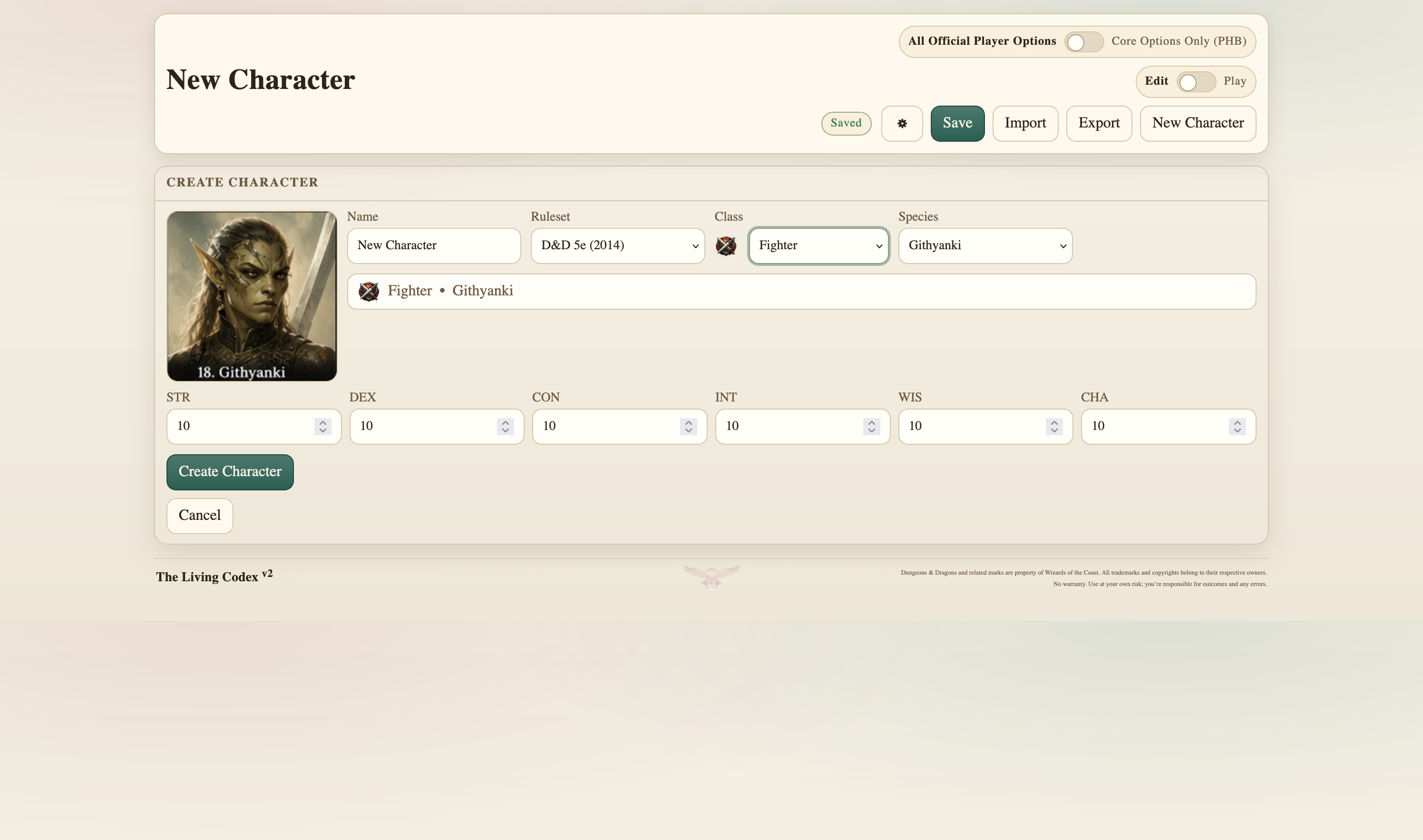
Character creation gives an immediate preview of species and class identity rather than dropping straight into an empty form. Once the character exists, the editor groups together the things I am actually likely to work on at the same time.
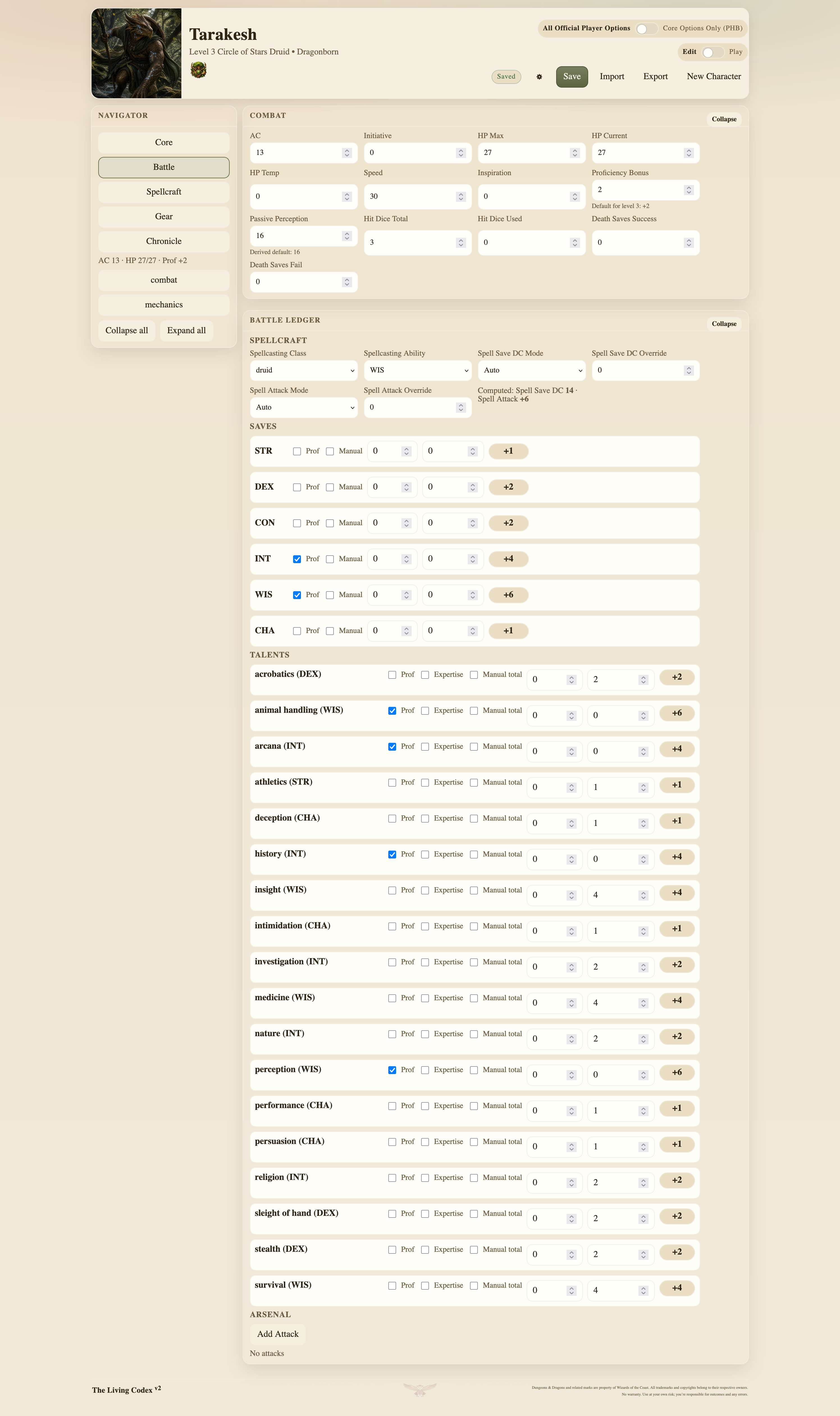
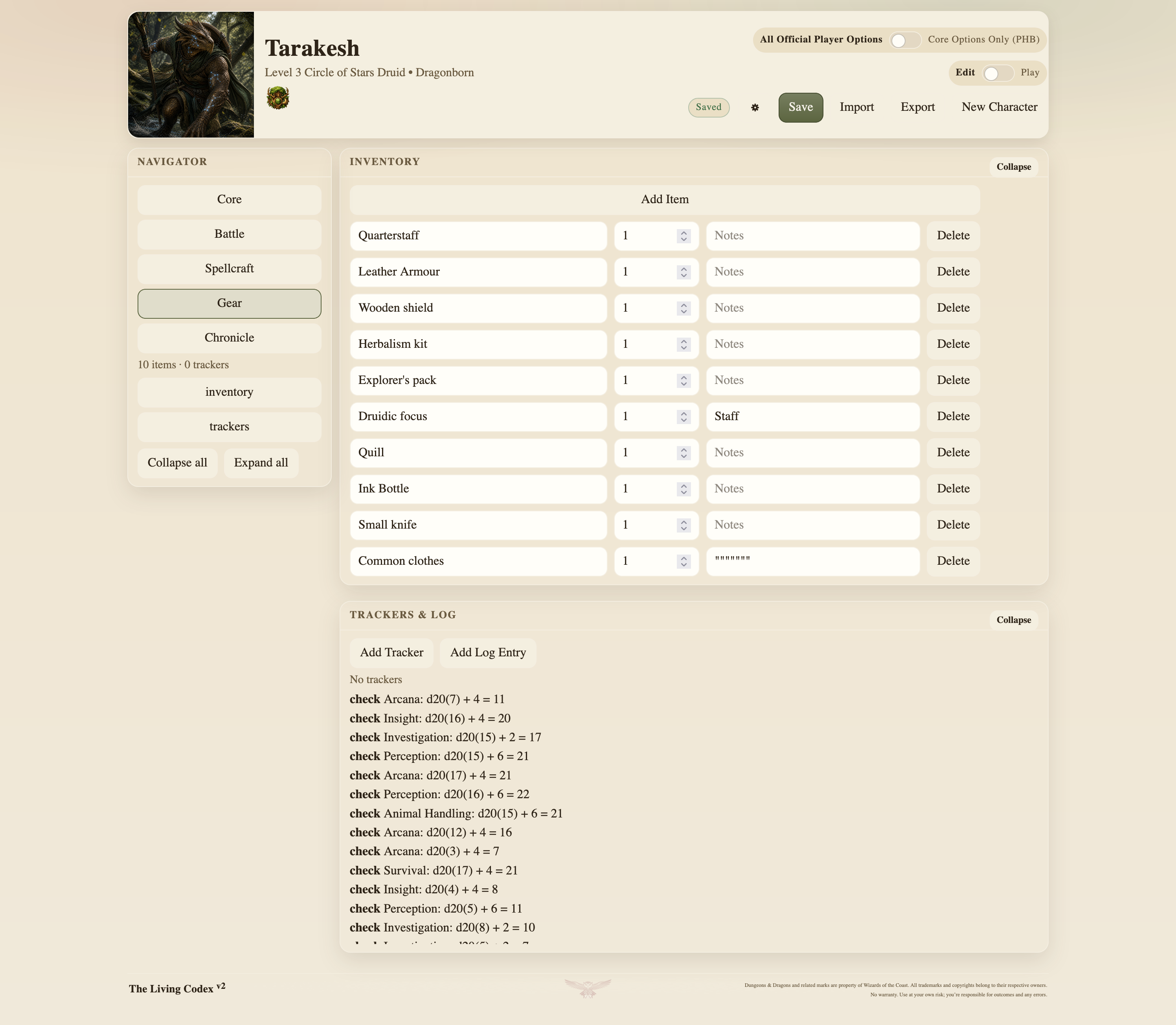
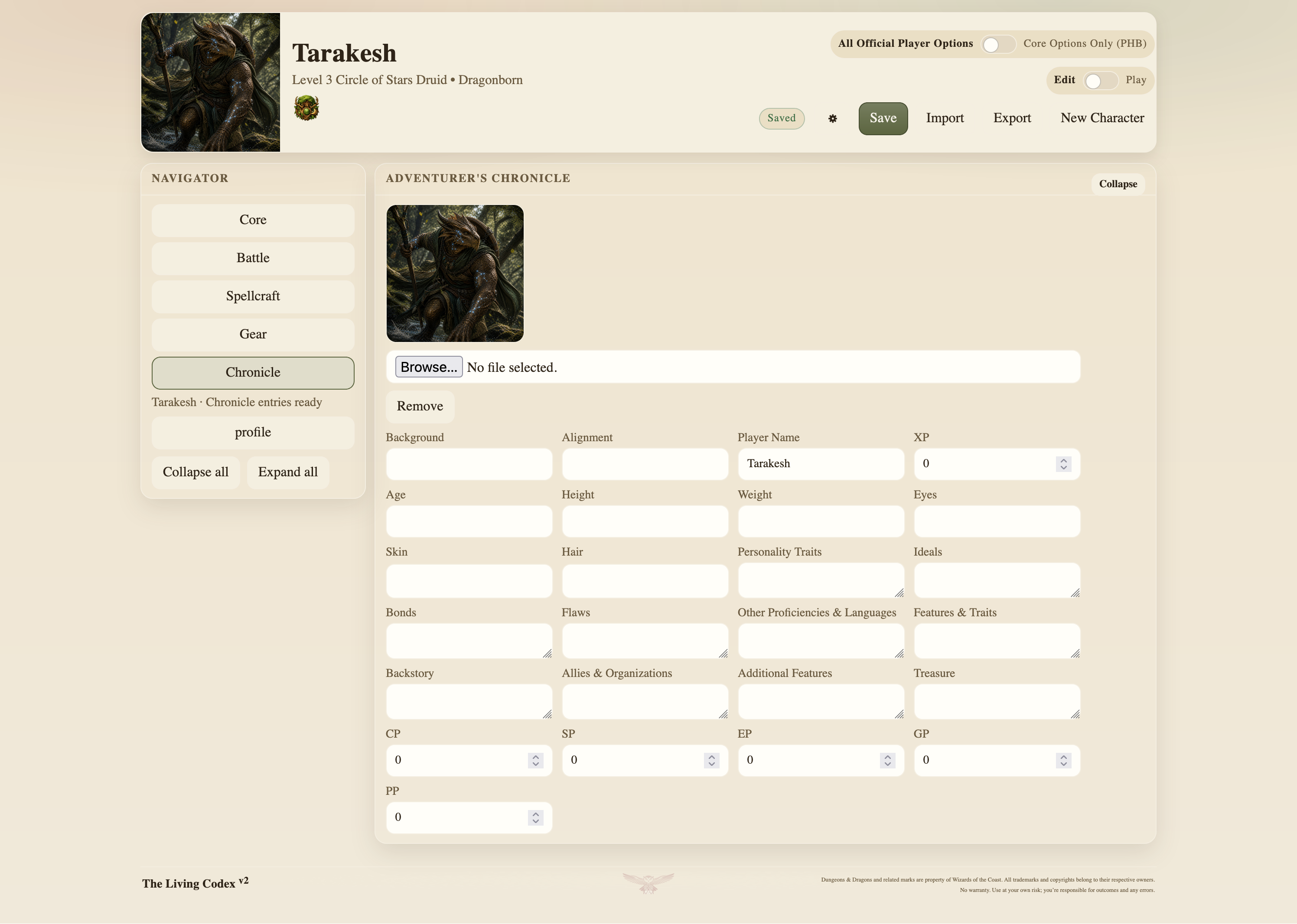
Play Mode strips most of that away. During a session I am much more interested in current HP, AC, initiative, conditions, concentration, spell slots, attacks, trackers and whatever I have just done than I am in editing my character biography.
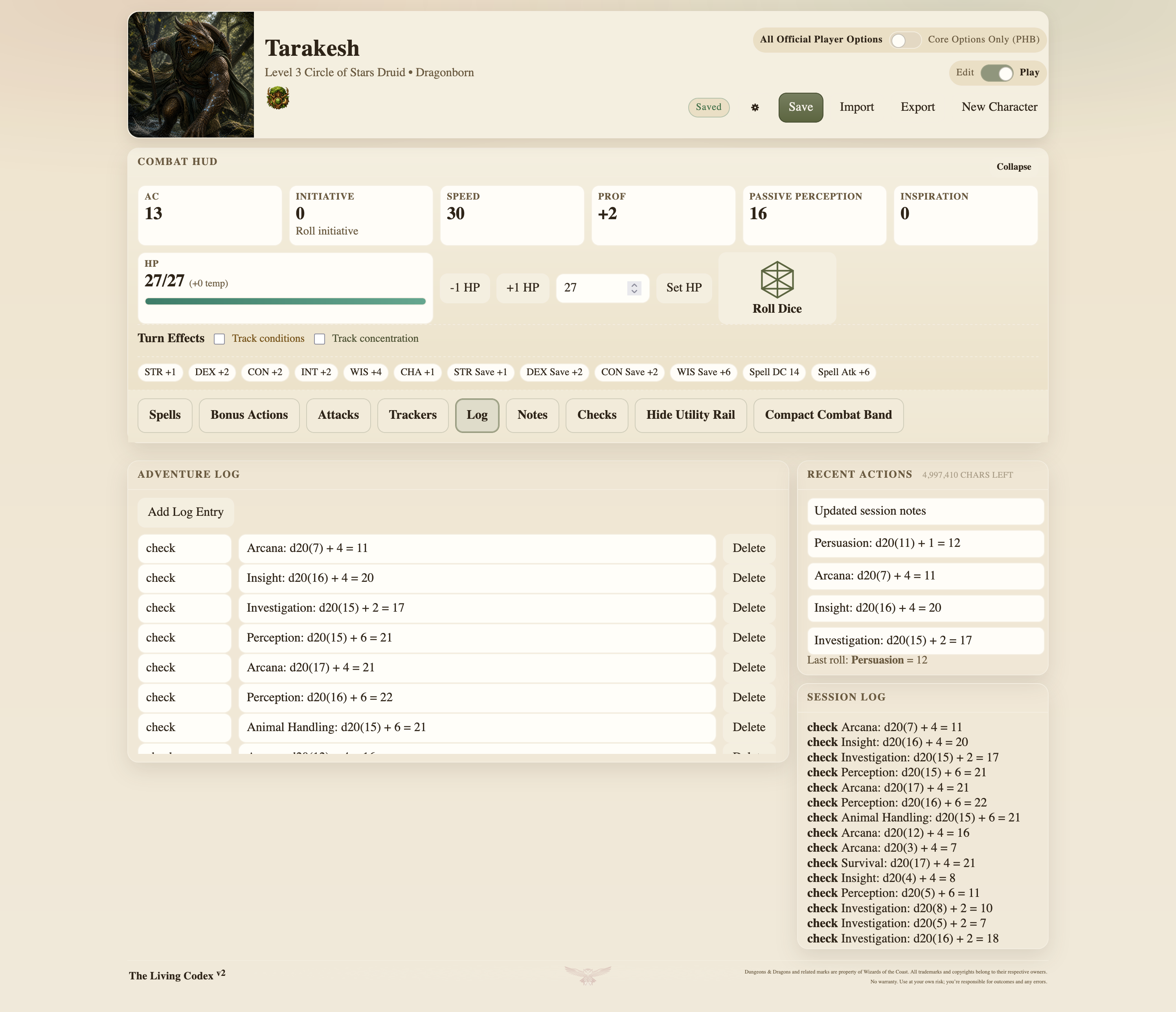
The play screen therefore behaves more like an at-table board than an editable form. Frequently changing values are easy to reach, while the slower character-definition material stays out of the way.
Recent actions, session notes and other temporary state can sit alongside the permanent character record without forcing me back through Edit Mode every time somebody takes damage or spends a resource.
Derived values are calculated from character state where that makes sense, but I have also kept manual overrides where the rules, a house rule or a peculiar character build can make automatic calculation wrong. Saving throws, skills and spellcasting values retain enough information to distinguish between a calculated value and one I have deliberately overridden.
I do not want the application quietly deciding that it understands my character better than I do.
Keeping the rules separate from the character
The current release is built around D&D 5e using the 2014 ruleset. Species, classes, subclasses, spells and other rules data live separately from the saved character rather than being buried inside the interface.
That separation makes the project easier to maintain and the character data easier to understand. The character stores choices and state belonging to that character. The rules data describes the game information the application needs in order to interpret those choices.
The main v2 implementation lives under js/v2/, with the 2014 rules data under data/dnd5e_2014/.
The original v1 code is still in archive/v1/. It is no longer the active application, but I have kept it because it records how the project developed and is occasionally useful when I need to remember why something in v2 ended up working the way it does.
The character stays local
The local-first part of The Living Codex changes how the application stores and moves data.
The primary store is an IndexedDB database called living-codex-v2. Saved characters live in its characters store and are keyed by meta.id. Application-level state, including the active character, is stored separately.
There is also a recovery backup in localStorage under living-codex-v2.backup.
Changes autosave with a short debounce rather than writing on every keystroke. A successful save updates meta.modified_utc, and exporting a character forces a save first so the exported copy reflects the current state.
None of that locks the character inside the application.
Characters can be exported as ZIP packs containing the complete JSON record and, where useful, CSV versions of the larger list-based sections.
character.zip
├── character.json
├── inventory.csv
├── spells_known.csv
├── spells_prepared.csv
├── log.csv
└── report/
  └── import-report.json
character.json is canonical. When a pack is imported, The Living Codex loads that first, applies any CSV overrides included in the pack, then normalises and validates the result.
I wanted the complete character available in one structured file, but I also wanted the parts that are naturally tabular to remain easy to edit outside the application.
If I want to add a large inventory, reorganise a spell list or inspect the log, CSV is a considerably nicer format to work with than a large JSON object. It also means those parts of the character can be opened in almost any spreadsheet or text editor without needing The Living Codex at all.
If the application disappears, the character data does not disappear with it.
Normal use
The usual workflow is simple enough.
Create a character or import an existing pack, use Edit Mode to establish the identity and mechanics, then move into Play Mode once the session starts.
Changes continue to save locally while I play. When I want a portable backup or need to move the character to another machine, I export the ZIP.
There is no account because there is no account system. The application does not need one.
Running it locally
The Living Codex is a static browser application, but v2 should be served over local HTTP rather than opened directly with file://, because browser module restrictions can prevent parts of it loading correctly.
cd The-Living-Codex
python3 -m http.server 8000
Then open http://localhost:8000/. That root page is the canonical v2 application.
Open The Living Codex →Browse the source ↗Read the v2 specification ↗
The rest of this page is for hand-editing a character pack, checking an import or working out why a file has been rejected. The repository remains authoritative.
Character pack reference
Pack contents
| File | Purpose |
|---|---|
character.json | Required canonical character record |
inventory.csv | Optional inventory override |
spells_known.csv | Optional known-spells override |
spells_prepared.csv | Optional prepared-spells override |
log.csv | Optional log override |
report/import-report.json | Optional import diagnostics |
Import order is: load character.json, apply any CSV overrides present, normalise and validate the resulting character, then accept or block the import and generate the report.
Character JSON
The current v2 character state contains meta, core, abilities, combat, identity and defence data, currency, proficiencies, expertise, trackers, inventory, profile data, resources, saves, skills, attacks, spellcasting, spell lists, slots, logs and interface state. Runtime material such as recent actions, session notes and the most recent dice result may also appear under play_state.
Representative v2 character skeleton character.json
{
  "meta": {
    "schema": "living-codex-character",
    "schema_version": "2.0.0",
    "id": "uuid",
    "name": "Tarakesh",
    "ruleset_id": "dnd5e_2014",
    "created_utc": "2026-05-02T00:00:00Z",
    "modified_utc": "2026-05-02T00:00:00Z"
  },
  "core": {
    "rulesetId": "dnd5e_2014",
    "speciesId": "dragonborn",
    "classes": [
      { "id": "druid", "level": 3, "isPrimary": true, "subclassId": "circle_of_stars" }
    ]
  },
  "abilities": { "str": 10, "dex": 14, "con": 12, "int": 10, "wis": 18, "cha": 8 },
  "combat": {
    "ac": 15,
    "initiative_bonus": 2,
    "speed": 30,
    "hp": { "max": 24, "current": 24, "temp": 0 },
    "conditions": [],
    "concentration": { "active": false, "source": "", "notes": "" }
  },
  "saving_throws": {
    "wis": { "proficient": true, "bonus": 0, "bonus_mode": "auto", "manual_total": 0 }
  },
  "skills": {
    "perception": { "proficient": true, "expertise": false, "bonus": 0, "bonus_mode": "auto", "manual_total": 0 }
  },
  "spellcasting": {
    "class_id": "druid",
    "ability": "wis",
    "save_dc_mode": "auto",
    "attack_bonus_mode": "auto"
  },
  "spells_known": [],
  "spells_prepared": [],
  "spell_slots": { "auto": true, "levels": { "1": { "max": 4, "used": 0 }, "2": { "max": 2, "used": 0 } } },
  "trackers": [],
  "inventory": [],
  "attacks": [],
  "log": [],
  "ui": {},
  "play_state": { "session_notes": "", "recent_actions": [] }
}
Ordinary text fields, counters and list-based data are generally the safest things to edit by hand.
IDs such as meta.id, item IDs and spell IDs should normally remain stable. Booleans need to remain JSON booleans rather than quoted strings, numeric values should remain numeric, and timestamps are expected in ISO format.
Required structures such as meta, core, abilities and combat should not be removed simply because a particular field inside them happens to be empty. The importer normalises some older or alternate forms, but it cannot sensibly reconstruct everything.
CSV contracts
These are the current v2 runtime headers. The spell CSVs contain readable spell information alongside spell_id, so rows remain understandable outside the application while retaining a link to rules data where one exists. The smaller log uses data_json so different event types can carry structured details without requiring a new column every time.
Representative inventory, spell and log rows Exact runtime headers
# inventory.csv
id,name,category,qty,weight_each,weight_unit,value,value_currency,attunement,container,equipped,notes
quarterstaff,Quarterstaff,weapon,1,4,lb,2,sp,false,carried,true,Druidic focus

# spells_known.csv / spells_prepared.csv
id,name,level,school,source,ritual,concentration,casting_time,range,components,duration,spell_id,page,notes
guidance,Guidance,0,divination,druid,false,true,1 action,Touch,V S,1 minute,guidance,PHB 248,

# log.csv
timestamp_utc,type,label,data_json
2026-05-02T10:30:00Z,note,Session begins,"{""location"":""High Forest""}"
When editing these files manually, keep the filenames and headers exactly intact. The authoritative contracts live in the repository under contracts/v2/.
Import validation
The importer does not assume that a ZIP is valid merely because the filenames look right. After character.json and any CSV overrides have been combined, the resulting character is normalised and validated. Invalid imports can be blocked, and report/import-report.json can record the diagnostics produced during that process.
For the current v2 format, I would treat the repository’s v2 specification, runtime headers and contract files as authoritative. If this page ever disagrees with those files, use the repository version. It is much easier to keep the format definition beside the code that actually reads it.
Current state
v2 is the active stable release line. It now has the Edit/Play split I wanted, local persistence, ZIP import and export, character-pack validation, rules-data lookup, subclass and spell handling, multiclass-aware presentation and the species/class visual elements used throughout the interface.
The project has changed substantially since v1, but the basic requirement has stayed the same: I want the character stored locally, portable in formats I can inspect myself, and presented differently depending on whether I am building it or actually playing it.
That is the version I use now.

Open The Living Codex →Browse the source ↗Read the v2 specification ↗
The project is MIT licensed. The licence covers the original code and project-authored material. Dungeons & Dragons, Wizards of the Coast and related third-party names, trademarks and copyrighted material remain the property of their respective owners.